
Mosmoxmosmox

Mosmox journal

In focus — mobile internet.

A selection of publications grouped under the mobile internet tag.

Offline Mode: How to Build a Useful App Without Constant Internet

Offline Mode: How to Build a Useful App Without Constant Internet

Lack of connectivity is not an exceptional scenario. People ride the metro, switch carriers, work in warehouses with concrete walls, live in villages with weak signal or simply have a limited data plan. For Ukrainian users, power outages add to this, when cell towers work intermittently. Offline experience should honestly define what the product can do now and what it will synchronise later.

In our projects we do not ask "do we need offline mode?". We ask which user actions must never be lost and what data people need when there is no network. The answer shapes the architecture, the scope of work and how the interface communicates sync state. Below are the levels of offline support, design principles and the scenarios you must test.

Three levels of offline support

  1. Reading the last successful data. The app shows a saved copy with a timestamp.
  2. Creating a draft or local action. Users can fill in a form, write a message or add an item to a list, and sending happens later.
  3. A change queue with sync and conflict resolution. Full work without a network, with later merging of changes from several devices.
LevelWhat the architecture needsRelative complexityTypical products
1. ReadingLocal database or cache, timestampLowMedia, catalogues, reference apps
2. DraftsLocal input storage, send queueMediumMessengers, forms, e-commerce
3. Full syncChange log, idempotent API, conflict strategyHighNotes, field reports, CRM, inventory

Do not promise full offline behaviour when the system cannot guarantee consistency. Level two is often enough to ensure people never lose work, and level three is worth building only where the product cannot perform its core function without it.

Lessons from YouTube Go

Google Design describes how the YouTube team built YouTube Go for markets with expensive and unstable internet. Research began in India, where people complained that data usage was unclear, and interviews and field research continued throughout the roughly two-year development. According to a study cited in the article, 96% of people in India used prepaid plans, and participants often bought small packs, such as 100 MB, that they could exhaust in one sitting.

The key decisions were about control: the app showed a video's data cost before playback, let people preview key frames and the file size, and saving videos ahead of time became one of the most common behaviours in beta testing. Importantly, being offline was not treated as an error: without a network, users could still search, manage downloads and share videos with nearby devices. The service was later shut down, but the principle still holds: offline behaviour should be just as predictable as online.

Design principles for offline experience

  • The local database as the source for the UI. Screens read from local storage, and the network only updates it. Android describes this approach as offline-first.
  • Explicit states. "Saved on device", "Waiting to sync", "Couldn't send, try again". Each state has a clear label and action.
  • Preserving input. Any text, photo or completed form is stored locally until the server confirms it.
  • Idempotent operations. Every action has a unique key, so resending after a dropped connection does not create a duplicate order or payment.
  • Background sync. On Android, WorkManager with network constraints; on iOS, background URLSession and BGTaskScheduler. The system picks the moment when the network returns.
  • A conflict strategy. Last write wins, field-level merging or asking the user: the choice should be deliberate and documented.

How to talk about sync in the interface

A technically correct sync queue achieves nothing if people do not understand what is happening. In our mock-ups, every action that can be performed offline has at least four presentations: done and confirmed by the server, saved on the device, being sent right now, and failed and needing attention.

A few rules that work well in practice:

  • Show the no-network banner once and compactly instead of blocking the whole screen with it.
  • Mark items waiting for sync next to the item itself, with a clock icon or caption, not only with a general message.
  • Phrase a sync error so it is clear what exactly was not sent and what to do: retry, edit or delete.
  • If the queue holds actions the server has not received, warn people before they sign out, or that data will disappear.

Step-by-step implementation

  1. List the key actions and define the required level of offline support for each.
  2. Describe the data those actions need without a network and estimate its size on the device.
  3. Agree with the backend on idempotency, record versions and the change log format; more on this in our article on designing an API for a mobile client.
  4. Implement local storage and a send queue with retries and exponential backoff.
  5. Design every sync state in mock-ups before development.
  6. Add analytics: how many actions were performed offline, how many waited for sync and how many ended in an error.

We discussed how to choose a freshness window for saved data in our article on caching in mobile apps.

Common mistakes

  • False success. The worst failure is showing "Sent" when the server received nothing.
  • Lost input. A form is cleared after a network error, and the user has to fill it in again.
  • An endless spinner. The app waits for the network with no timeout and no explanation.
  • Duplicates after retry. Without idempotency, two attempts mean two orders.
  • Silent loss of changes. A conflict is resolved automatically, but the user never learns their edits were overwritten.

What to test before release

  • Turning off the network in the middle of submitting a form or uploading a file.
  • Closing the app with an unsent queue and launching it again.
  • Switching accounts while the queue contains the previous user's actions.
  • Editing the same record from two devices at once.
  • Updating the app with a non-empty sync queue.
  • Long offline use: several days, dozens of actions, limited disk space.

Offline mode is not only a technical feature. It is a promise that users will not lose work because of conditions they cannot control.

Sources: Google Design: Making YouTube Go; Android Developers: Build an offline-first app; Android Developers: WorkManager; Apple: Background Tasks.

4.7 Billion Mobile Internet Users: Where the Opportunities Remain

4.7 Billion Mobile Internet Users: Where the Opportunities Remain

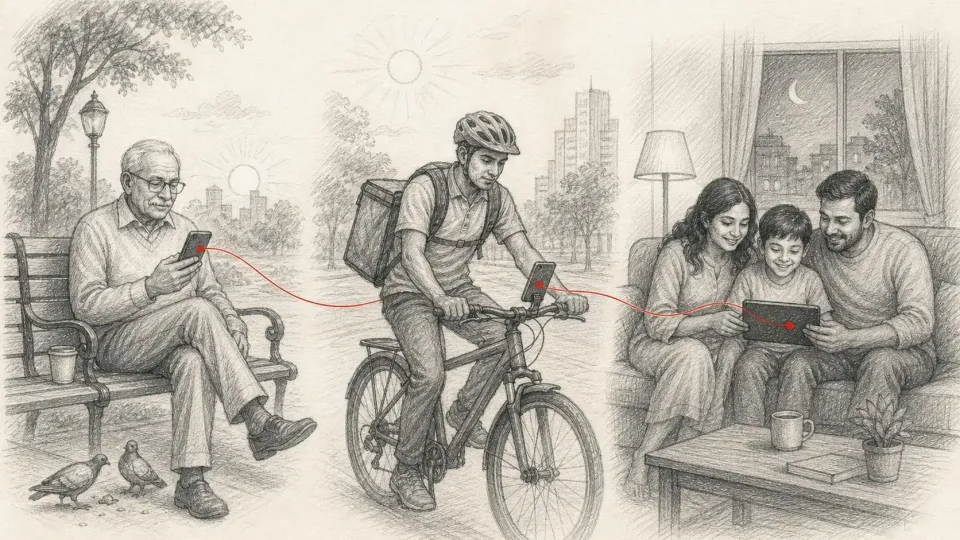
The global mobile market already has billions of users, but that does not mean everyone receives the same quality of digital experience. The next wave of products will compete not only on features but also on accessibility, clarity and trust — and that is where the opportunities lie that big players often miss.

Below we look at the latest GSMA data on mobile internet and share the practices we use to make apps work not only in lab conditions but also on affordable devices, slow networks and for people with different levels of digital skills.

The scale of the audience and the gap

According to the GSMA State of Mobile Internet Connectivity 2025 report, published in September 2025, the picture looks like this:

MetricValue
People using mobile internet on their own device4.7 billion, 58% of the world’s population
Population covered by mobile internet96%
Covered but not using it (usage gap)3.1 billion people, 38% of the population
Not covered (coverage gap)About 300 million people, 4% of the population
Cost of an entry-level smartphone16% of average monthly income, 48% for the poorest 20%

The key conclusion: the problem is no longer the networks. Almost everyone lives within coverage, yet billions do not use mobile internet. GSMA names the main barriers: awareness, device affordability, digital skills, as well as safety concerns and unreliable access to electricity. By the organisation’s estimate, a $30 smartphone could make handsets affordable to up to 1.6 billion people.

These numbers are not only about distant markets. Even in countries with near-universal coverage there are large groups of users with older phones, limited data plans or low digital confidence: older people, residents of small towns, people who buy second-hand devices. In Ukraine, power outages add to this, when networks become unreliable and people save battery. A product built only for a new flagship and stable 5G loses part of its audience without even noticing it in analytics.

What this means for a product team

Some of these barriers — device prices or coverage — are beyond developers’ control. But many others depend directly on how we design products. This is how we map barriers to decisions:

BarrierHow it shows up in the appProduct response
Expensive dataUsers skip updates and avoid mediaSmall build size, compression, caching, data-saving mode
Low-end deviceSlow start, crashes from low memoryTesting on budget models, memory control
Limited digital skillsUsers get lost in navigation and abandon sign-upPlain wording, minimal steps, hints
Distrust and safetyRefusal to enter data or payTransparent terms, minimal permissions, clear privacy
Unstable network and powerInterrupted operations, lost dataOffline mode, action queue, state saving

Technical practices for affordable devices and networks

  • Support older OS versions as far as audience analytics justifies: every version you drop is people who cannot install the product.
  • Watch build size. Android App Bundle, Play Feature Delivery and App Thinning on iOS let you ship only the resources a device needs.
  • Control memory. Android vitals already lists memory usage among its core vitals, and Google has announced an impact on Play visibility from February 2027. On devices with 4 GB of RAM the threshold for a foreground app is 2 GB.
  • Do not require a fast connection for the core action. Browsing a catalog, filling in a form or reading saved content should work on a slow network.
  • Design offline as a normal state, not an error: cached content, an action queue and sync once the network returns.

Google summarises these principles in its Build for Billions guidelines, and we wrote more about saving data in our article on 22 GB per smartphone.

Language, trust and localization

Accessibility is not only about technical parameters. Use clear language and do not hide important conditions behind technical terms. Localize not just interface strings but also examples, currencies, date and number formats, payment methods and addresses. In some markets, payment without a bank card — mobile money or cash on delivery — is essential.

Trust is built through minimal permissions, an explanation of why each one is needed and transparent pricing without hidden fees. Follow WCAG: sufficient contrast, text scaling, VoiceOver and TalkBack support — these requirements help people with disabilities, older users and anyone using a phone in bright sunlight.

Pay special attention to the first experience. For someone who has only recently got a smartphone, sign-up with an eight-character password, email confirmation and five permission requests can be an insurmountable wall. Phone-number login, asking for permissions gradually at the moment they are actually needed and letting people try the product without an account remove most of these barriers.

A step-by-step plan

  1. Analyse your audience: distribution by device model, RAM, OS version, network type and language.
  2. Choose a reference budget device and make it mandatory for testing every release.
  3. Set budgets for build size, startup time and data volume for key journeys.
  4. Review copy for clarity: short sentences, no jargon, with examples.
  5. Run an accessibility audit against WCAG and test with VoiceOver and TalkBack.
  6. Measure conversion by device type, network speed, language and payment method — that shows where barriers cut off your audience.

Common mistakes and a checklist

  • Testing only on developers’ flagship phones.
  • Raising the minimum OS version without analysing the audience you lose.
  • Asking for registration and permissions before people have seen any value.
  • Translating strings without adapting examples, currencies and formats.
  • Treating offline as an exception and showing an empty screen.

Checklist: a budget device in the test matrix; budgets for size, startup and data; an offline state for key journeys; clear copy; an accessibility audit; conversion analytics by device, network and language.

Accessibility is not a charitable add-on. It expands the market and reduces the number of journeys that start but never finish. A mobile product that works under real conditions across markets usually becomes more reliable for its primary audience too: simplicity, small payloads and a correct offline state are investments in both inclusion and quality.

Sources: GSMA: State of Mobile Internet Connectivity 2025; Android Developers: Build for Billions; Android Developers: Android vitals; W3C WAI: Mobile Accessibility; Apple: Localization.

22 GB per Smartphone Each Month: How Mobile User Behavior Is Changing

22 GB per Smartphone Each Month: How Mobile User Behavior Is Changing

As people spend more time on smartphones and consume more data, a mobile product is no longer a short session between other activities. It becomes an everyday environment for work, shopping, communication and entertainment — and it should be designed that way: for interruptions, varying networks and the fact that, for many people, data still costs money.

In this article we look at what an average of 22 GB per smartphone really means and share the practices we use in our projects to keep an app both fast and economical.

What 22 GB means

According to Ericsson, an active smartphone generated about 22 GB of mobile traffic per month on average at the end of 2025. A year earlier, according to Ericsson’s June 2025 report, the figure was 19 GB, and the company forecasts 42 GB by 2031 — average annual growth of around 12%.

It is an average, so it hides differences between markets, plans, device types and behaviour. Users with unlimited 5G live side by side with people who switch off mobile data after every message to make their allowance last the month. For a product team, this number is not a consumption target but a signal: people expect not just access to a service but a complete, fast, media-rich experience — and they do not forgive products that waste their data.

Most of those gigabytes come from video: according to Ericsson’s measurements on four European networks, it accounts for about half of all mobile traffic. That is why an app’s “weight” usually depends far more on media than on code.

How user behaviour is changing

  • Sessions are more frequent and shorter. People come back many times a day, so session state must survive interruptions: a call, an app switch, the system evicting the app from memory.
  • Context changes constantly. Wi-Fi at home, LTE on the bus, a congested network in a shopping centre — all within an hour.
  • Media has become the norm. Product photos, short videos and voice messages are expected even in apps that used to be text-only.
  • Cost sensitivity remains. System data-saving modes exist precisely because a large share of users watch their data.

A data strategy for different scenarios

In our projects we define a separate loading policy for each content type. The decisions below reflect studio practice that we adapt to each product:

Content typeLoading policyWhat changes in data-saving mode
Lists and catalogsPagination of 20–30 items, on-disk cacheLower-resolution thumbnails
ImagesWebP or AVIF, sized for the screen via a CDNFull-size photos only on tap
VideoAdaptive HLS or DASH streaming, starting at a lower qualityNo autoplay, capped maximum bitrate
Backups and syncBackground jobs with network constraintsWi-Fi only or with explicit consent
Content updatesDelta updates instead of full reloadsLess frequent refresh, push instead of polling

Platform tools worth using

Both platforms already tell an app how the user feels about data. These signals should be built into product logic rather than ignored:

  • Android Data Saver. Through ConnectivityManager an app learns whether background data restrictions are on and should reduce background usage.
  • iOS Low Data Mode. The allowsConstrainedNetworkAccess setting in URLSession lets an app automatically skip non-essential requests when the user has turned on data saving.
  • WorkManager and BackgroundTasks. Large downloads and sync can be tied to conditions: an unmetered network, charging, sufficient battery.
  • HTTP caching. Proper Cache-Control and ETag headers avoid downloading again what is already on the device.
  • State saving. SavedStateHandle on Android and scene state restoration on iOS return users to where they left off, even after the system has evicted the app.

What to test before launch

  1. Map the 5–10 most common journeys: launch, search, product view, completing an action, returning via a push notification.
  2. Measure for each time to the first useful action, data downloaded and repeated requests.
  3. Check cold and repeat opens: opening the same screen a second time should cost many times less data than the first.
  4. Test on a budget device and a slow network using Network Link Conditioner or Android Emulator profiles.
  5. Turn on Data Saver and Low Data Mode and make sure the app behaves differently, not just more slowly.
  6. Interrupt the journey with a call, airplane mode and app switching — drafts, filters and the cart must survive.

If a product constantly needs large resources, the issue is usually neither the user nor the network but the architecture of the experience.

Common mistakes

  • Autoplaying video at maximum quality in the feed.
  • Fully reloading a list every time the user returns to a screen.
  • Polling the server every minute instead of using push or WebSocket.
  • Ignoring data-saving modes on both platforms.
  • Losing user input after a session interruption.
  • Not explaining how much data a large download will use.

A checklist for a fast, economical product

  • Every content type has a defined loading policy.
  • Reopening a screen uses the cache.
  • Video starts at a lower quality and adapts to the network.
  • The app responds to Data Saver and Low Data Mode.
  • Heavy background jobs run on unmetered networks.
  • Session state, drafts and the cart survive interruptions.
  • Analytics shows data volume per session and per key journey.

We covered the wider context of traffic growth in our article on 146 exabytes a month, and how to design states for different networks in our piece on 5G and mobile apps.

Mobile statistics become useful when they lead to decisions: what to cache, what to compress, what to show first and where to give users control. Twenty-two gigabytes is not a consumption target; it is a reminder of the scale of everyday mobile life.

Sources: Ericsson Mobility Report: Mobile traffic forecast; Ericsson: Short-form dominates video traffic; Android Developers: Data Saver; Apple: allowsConstrainedNetworkAccess; Android Developers: WorkManager.

Mobile Traffic in 2025: 146 Exabytes a Month and a New Product Baseline

Mobile Traffic in 2025: 146 Exabytes a Month and a New Product Baseline

In 2025, mobile internet became more than an access channel: it became the environment where most digital products live. People expect an app to work just as well on the move, indoors with a weak signal and on a 5G connection, and the numbers show how large this context has become.

Below we go through the key 2025 figures from the Ericsson Mobility Report and GSMA and turn them into practical decisions: which performance budgets to set, how to test weak networks and what to monitor after release.

The key numbers from 2025

MetricValueSource
Global mobile data traffic excluding FWA, end of 2025146 EB per monthEricsson
Same, including Fixed Wireless Access203 EB per monthEricsson
Traffic growth, Q3 2024 to Q3 202520%Ericsson, November 2025
Traffic per active smartphone22 GB per month (19 GB in 2024)Ericsson
Share of traffic carried over 5G, end of 202548%Ericsson
Forecast for 2031328 EB excluding FWA, 42 GB per smartphone, 85% over 5GEricsson
People using mobile internet on their own device4.7 billion, 58% of the populationGSMA
Covered but not using mobile internet3.1 billionGSMA

It is important to understand the limits of these numbers. 22 GB is an average that hides huge differences between markets, plans and devices. The 48% 5G share is global, and in many countries the real experience is still defined by LTE or a congested network in the underground. According to Ericsson’s measurements on four European networks, video accounts for about half of all mobile traffic, so media has the biggest impact on both load and the user’s data costs.

The trend is telling too. In its November 2025 report, Ericsson forecasts average annual mobile traffic growth of 16% through 2031 and expects more than 2.9 billion 5G subscriptions by the end of 2025. For a product designed today and maintained for five to seven years, this means the amount of media users consider “normal” will roughly double over that period, while the gap between the fastest and slowest connections will not disappear.

Why performance cannot wait until the end

The first conclusion is simple: performance is not a final polishing step but an architectural decision. Heavy images, video without adaptive quality, unnecessary requests and large JavaScript bundles directly affect the experience and the user’s costs. A mobile product should load the essentials first, defer the rest and behave predictably when connectivity drops.

Google Play formalises this: in Android vitals, the bad-behaviour threshold for the user-perceived crash rate is 1.09% and for the ANR rate 0.47% on average across devices, and exceeding them can reduce an app’s visibility in the store. For a team, this means stability and speed are part of distribution, not just engineering hygiene.

Performance budgets: where to start

In our projects we set budgets before the first sprint and check them in CI. The targets below are what we use; they reflect studio experience rather than an industry standard and should be adapted to the product.

What we limitTargetHow we check it
Cold start to the first useful screenUnder 2 s on a mid-range deviceMacrobenchmark, Xcode Instruments
API response for the home screenUnder 100 KB compressedNetwork-layer logs, Charles or Proxyman
Images in listsWebP or AVIF, sized for screen densityDesign review and CDN parameters
Requests before first renderNo more than 3–4Request tracing
JS bundle size (React Native)Growth tracked on every releaseCI build report

Content and media: control instead of weight

More traffic does not mean every feature should become video-heavy. The value comes from control: adaptive media quality, caching, compression, local storage and a clear loading state. In practice that means:

  • Use HLS or DASH with several quality levels instead of a single MP4 file.
  • Serve images through a CDN that resizes them for the specific screen.
  • Cache responses with proper Cache-Control and ETag headers so reopening a screen does not download the same data again.
  • Respect system saving modes: Data Saver on Android and Low Data Mode on iOS.
  • Defer large file sync until Wi-Fi or charging with WorkManager or BackgroundTasks.

This matters especially in markets where fast mobile internet is not yet a stable default, and in Ukraine, where networks become unreliable during power outages.

How to test under real conditions

  1. Pick reference devices: one flagship, one mid-range and one budget Android phone, plus an older iPhone that still supports your minimum iOS version.
  2. Emulate the network: Network Link Conditioner on iOS and macOS, network profiles in the Android Emulator, a throttling proxy.
  3. Check transitions: Wi-Fi to cellular, stepping into a lift or the underground, airplane mode in the middle of an operation.
  4. Measure key journeys: time to the first useful action, data downloaded and repeated requests.
  5. Turn on observability: Firebase Performance Monitoring, MetricKit on iOS and Android vitals after release.

Common mistakes

  • Testing only on office Wi-Fi and flagship devices.
  • Downloading the full data set “just in case” on every launch.
  • Showing an endless spinner instead of cached content with an update status.
  • Retrying failed requests without exponential backoff, adding load exactly when the network is congested.
  • Not distinguishing “no network” from “server unavailable” in the interface.

An action plan for the team

  • Define 3–5 key journeys and a performance budget for each.
  • Add budget checks to CI and to the definition of done.
  • Describe three states for every screen: fast network, slow network, offline.
  • Set up adaptive media quality and CDN-level caching.
  • Review Android vitals, MetricKit and real data-per-session figures every month.

Mobile traffic keeps growing, but the most useful number for a product team is not the exabyte total. What matters is knowing which journeys create the load, where people lose time and how to make the product fast, predictable and economical on every connection.

Sources: Ericsson Mobility Report: Mobile traffic forecast; Ericsson Mobility Report, November 2025; Ericsson: Short-form dominates video traffic; GSMA: State of Mobile Internet Connectivity 2025; Android Developers: Android vitals.

Journal

Ideas and products