Mosmoxmosmox

Mosmox journal

In focus — App Store.

A selection of publications grouped under the App Store tag.

OTA Updates in Expo: Hotfixes from Your Phone and the Line You Should Not Cross

OTA Updates in Expo: Hotfixes from Your Phone and the Line You Should Not Cross

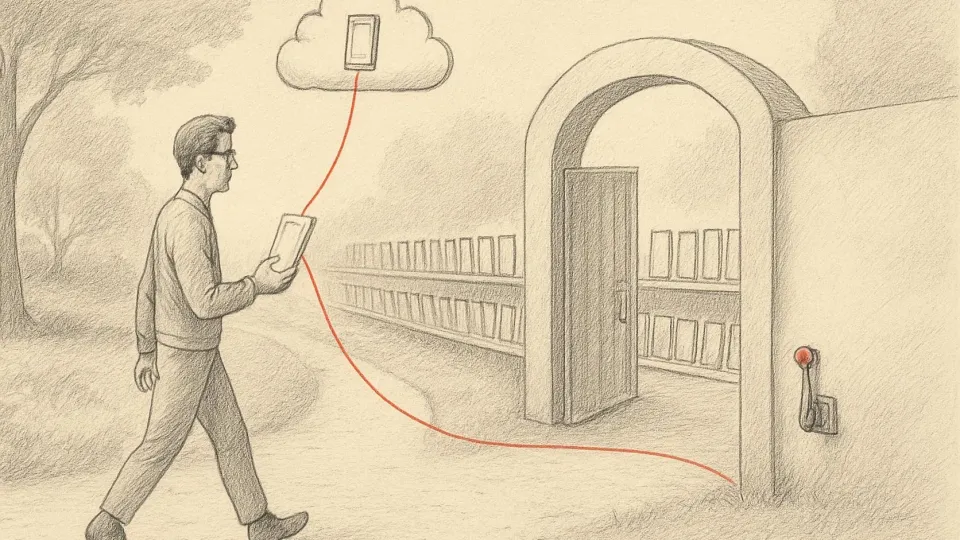
On November 26, 2026 Expo showed how to fix a bug and ship it to production with nothing but a phone. A developer describes the problem in a chat with an AI assistant, checks the fix on a cloud iPhone and sends it to users as an over-the-air (OTA) update, with no new build and no App Review. It sounds ideal for hotfixes. But OTA has hard technical limits, and the app stores have their own rules. Here is how the flow is built and where a quick hotfix ends.

The flow comes from the Expo blog, and the commands come from the EAS Update documentation.

How it worked in Expo's demo

The demo app is OpenMulticam, a camera app: two buttons in the top bar looked clipped when pressed and dragged. The author noticed it on a walk. Then:

  • In the ChatGPT mobile app he asked it to fix the buttons and verify the result in Expo Simulators. The chat app reaches the project through the Expo MCP connector, which exists for ChatGPT, Claude and Grok.
  • A few minutes later a pull request appeared with the style fix, a regression test and recordings of the same gesture on a cloud iPhone, before and after the fix.
  • The author reviewed the PR and merged it himself.
  • A first workflow published the update to a verify channel, and the author checked it again on a cloud iPhone.
  • Only then, on a separate request, a second workflow published the same update to the production channel that the App Store build listens to.

The Expo connector does not push code or open PRs itself. That is done by the chat app's own GitHub integration, such as Codex in ChatGPT, or by a fine-grained GitHub token scoped to that one repository.

Two workflows instead of one button

The key element is two separate manual workflows in .eas/workflows/. Both are of type update and only run on demand (workflow_dispatch):

  • verify-update.yml publishes the update to the verify channel, which a simulator build listens to;
  • publish-production.yml publishes the same update to the production channel.

Both builds in eas.json share one runtime version, so an update verified on verify is guaranteed to be compatible with the production build. Another detail from Expo's setup is the agent rules in AGENTS.md: make the fix on a branch, open a PR, wait for a human to merge, and publish to production only on an explicit request. For a team these rules matter more than the phone: the agent proposes, the human decides.

On pricing: Expo Update is available on every plan, including Free, while Expo Simulators requires a paid plan.

Limit one: what OTA can change at all

An OTA update changes only the JavaScript bundle and assets. Expo says so directly: changes to native dependencies, permissions or native configuration still require a new build and App Store review. According to the EAS Update docs:

  • you can: fix JS bugs, change copy and translations, styling and screen layouts;
  • you cannot: add or upgrade a native module, request a new permission (camera, location and so on), or upgrade the Expo SDK.

Compatibility is guaranteed by runtimeVersion. If an update was built against different native code, the app may crash and expo-updates will roll back to the previous working version. So choose the policy deliberately:

  • "policy": "appVersion" changes the runtime version together with the app version. It is simple, but if you change native code and forget to bump the version, you get a mismatch;
  • "policy": "fingerprint" changes the runtime version whenever anything that may affect the native runtime changes. For teams that update dependencies often, it is the safer option.

Limit two: store rules

App Store. Guideline 2.5.2 requires an app to be self-contained in its bundle and not to download or execute code that introduces or changes its features or functionality. The Review Guidelines have no rule specifically about OTA, and Expo does not promise that every update is fine. The EAS Update docs say you need to follow the platforms' rules, and that changes to your app's behavior usually need to be reviewed. The practical takeaway: OTA is a tool for fixes and small UI changes, not a way to ship a new feature around App Review.

Google Play. The Device and Network Abuse policy forbids an app from updating itself outside Google Play's update mechanism and from downloading executable code (dex, JAR, .so) from other sources. There is an exception for code that runs in a virtual machine or interpreter with indirect access to Android APIs, such as JavaScript. At the same time the policy says that code loaded at run time must not enable violations of other Google Play policies.

For a team this comes down to a simple rule: if a change deserves a line in "What's New", it should go through a new build and review.

How to keep a hotfix from becoming an incident

Publishing to production in minutes is both the benefit and the risk: a mistake also reaches every user in minutes. EAS Update has tools to contain that risk:

  • Gradual rollout. eas update --rollout-percentage=10 serves the update to 10% of users only. You change the percentage with eas update:edit, and eas update:revert-update-rollout cancels the rollout and restores the previous update. Only one active rollout is allowed per branch, platform and runtime version.
  • Rollback. eas update:rollback returns users to a previously published update or to the update embedded in the build. The latter helps when every OTA version is broken.
  • Monitoring. Expo recommends watching the error rate on the dashboard during a rollout and stopping it if errors rise.

The demo in Expo's blog publishes straight to 100% and does not mention rollback. For an app with a real audience we recommend adding a gradual rollout between verify and production.

OTA hotfix checklist

  • The change touches only JS or assets: no new native modules, permissions or SDK upgrades.
  • The change fixes or refines existing behavior rather than adding a new feature.
  • runtimeVersion uses the fingerprint policy or another one the team understands.
  • The fix went through a PR and human review, even if an agent wrote the code.
  • The update was first checked on a separate channel with the same runtime version.
  • In production: 5–10% of users first, then error monitoring, then 100%.
  • The team knows how to roll back: eas update:rollback or a return to the embedded update.
  • The agent may publish to production only on a direct human command.

Conclusion

Expo's demo shows that the whole hotfix cycle, from bug report to production, can be done from a phone in half an hour. The interesting part is not the phone but the structure: a separate verification channel, a shared runtime version, a PR with a test and a screen recording, and a human with the final say. Copy that structure into your own process, add a gradual rollout and a rollback plan, and OTA becomes a reliable way to fix bugs quickly. Just do not use it to ship new features around App Review.
App Store Group Subscriptions: Selling Seats to Teams and Families and What to Set Up Now

App Store Group Subscriptions: Selling Seats to Teams and Families and What to Set Up Now

Apple has added a new way to sell App Store subscriptions: multiple seats in one subscription. Organizations and schools can buy subscriptions in volume starting October 22, 2026, and Apple says "group purchases" for regular users arrive on the App Store this winter. Here is what changes for your app and what to check in App Store Connect.

The facts come from Apple Developer News and the App Store Connect help page on purchase options for auto-renewable subscriptions.

What multiseat purchasing is

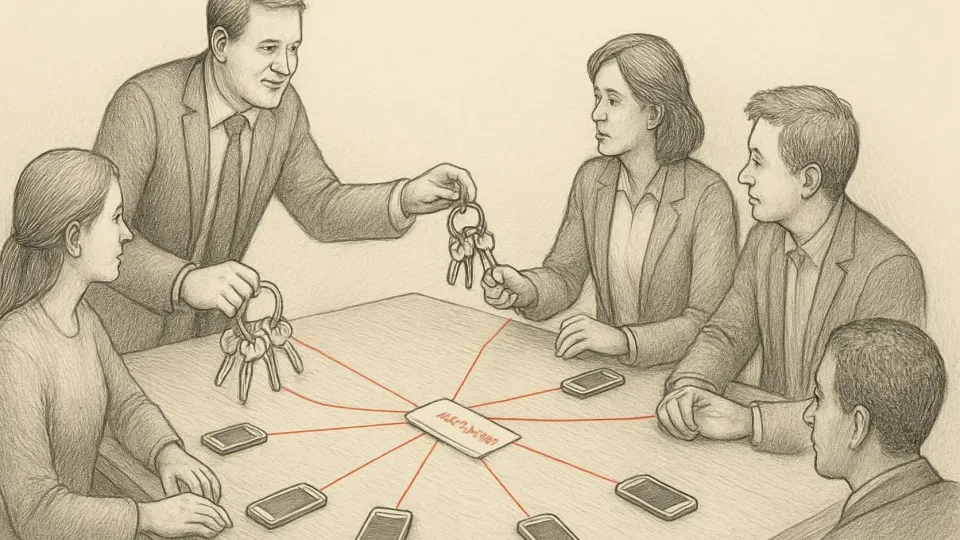
A customer can buy a subscription in a quantity greater than one. The buyer becomes the "group purchaser," who manages the shared subscription and decides who gets access. An organization buys the seats it needs through a single In-App Purchase and assigns them with its existing device management tools. Seats can be added or removed at any time. Organizations and schools buy through Apple Business or Apple School Manager.

What about groups

The same App Store Connect feature supports subscriptions for groups. From November 2026 you can configure and test group purchases in a Sandbox Apple Account. This winter they become available on the App Store: a person buys several seats and invites others to use the subscription. The App Store Connect help page only says "later this year," with no exact date.

What to know about the settings

  • It is on by default for auto-renewable subscriptions. According to the help page, subscriptions created before September 14, 2026 are opted out if they do not use StoreKit 2 or do not have Family Sharing turned on.
  • Where to change it: your app, Monetization, Subscriptions, the subscription, Purchase Options. You need the Account Holder, Admin or App Manager role.
  • Two questions in the settings: whether customers can buy multiple seats (it must be "yes" for Apple Business and Apple School Manager) and where the subscription is sold: the App Store, Apple Business, Apple School Manager.
  • Turning multiseat off after approval is possible but not painless. New customers cannot buy multiple seats, existing subscriptions run until the group purchaser cancels, and no new seats can be added. App Store availability cannot be removed after approval.
  • Family Sharing: if it is on, you must confirm before enabling multiseat. Only the group purchaser can share with family, and other seats are for individual use. Once Family Sharing is on, it cannot be turned off.
  • License agreement: Apple updated the Developer Program License Agreement with terms for multi-seat subscriptions, and you need to accept it in your account.

Why it matters for your product

Until now a subscription was personal: one person, one subscription. Now the same subscription can be sold to teams, classrooms and families without building your own licensing and invoicing. For B2B apps it opens a sales channel through Apple Business. For consumer apps it is a way to sell a "pack of seats" and encourage users to invite others.

What to do now

  • Review Purchase Options on every subscription and decide on purpose whether you want to sell to organizations: it may already be enabled by default.
  • Check that your app handles a subscription used by several people, and that access distinguishes the payer from the user.
  • Test group purchases in Sandbox before they launch on the App Store.
  • Accept the updated license agreement.
  • Think through pricing: what to offer for multiple seats and whether volume discounts make sense.

Conclusion

Group purchases turn a subscription from personal into shared. If you earn from subscriptions, walk through the settings now: some changes apply by default and the rest launch this winter. The materials we read do not state pricing, commission or seat limits, so verify those in Apple's documentation before planning.

App Store in Taiwan: 26% Commission Instead of 30% and What to Check

App Store in Taiwan: 26% Commission Instead of 30% and What to Check

Apple has lowered the commission on the Taiwan storefront of the App Store from 30% to 26%. The change applies from 31 October 2026 to standard Apple In-App Purchase and paid app transactions on iOS and iPadOS. It follows discussions with Taiwan's Fair Trade Commission.

All facts come from the Apple Developer news post.

What exactly changed

  • 26% instead of 30% for standard IAP and paid apps on the Taiwan storefront.
  • The reduction applies from 31 October and does not require signing the updated terms by that date.
  • The Apple Developer Program License Agreement was revised to support updated policies. You can accept it in your account; translations will follow within a month.

The post does not break down other commission programs (for example subscriptions after the first year or small-business rates), so do not draw conclusions about them without checking Apple's documentation.

What your team should check

  • Unit economics for Taiwan. If you sell subscriptions or paid apps there, recalculate your margin at 26%.
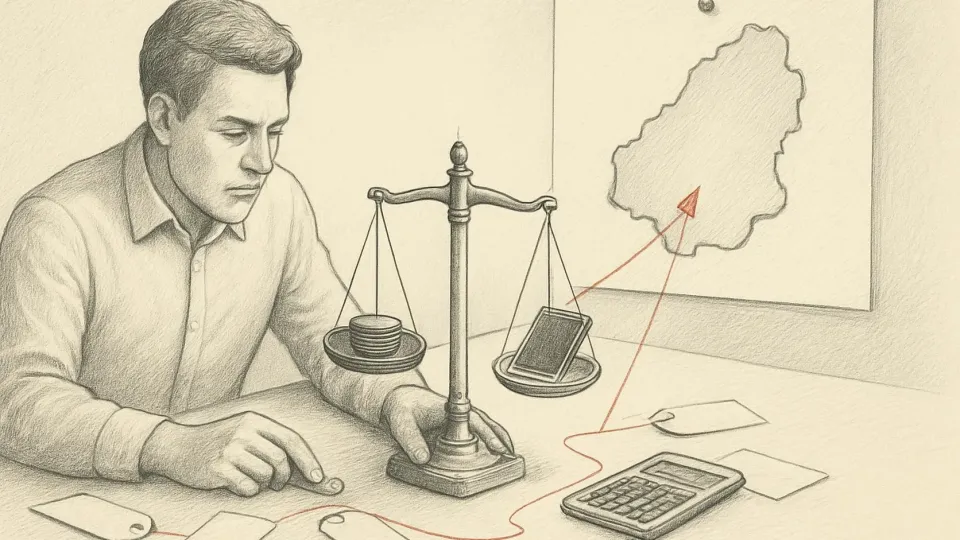
  • Pricing. A 4-point difference can let you lower prices or keep them and earn more net revenue. That is a product decision, not an automatic consequence.
  • The agreement. Accept the updated license agreement in your account so later changes do not slip by.
  • Regional rules as a practice. App Store terms can differ by country, so build separate regional parameters into your pricing model.

Bottom line

The change itself is small, but it points to a trend: distribution terms depend more and more on region. Teams monetizing in Asia benefit from a flexible pricing model and from checking Apple Developer news regularly.

App Store Tax and Price Updates: What Changes on 3 December 2026 and 1 January 2027

App Store Tax and Price Updates: What Changes on 3 December 2026 and 1 January 2027

On 17 November 2026 Apple announced tax and price changes for apps, in-app purchases and subscriptions. Some changes take effect on 3 December 2026, others on 1 January 2027. For teams with a paid app this is a chance to check the base storefront, tax categories and prices before the deadlines.

All facts below come from the Apple Developer news post.

New taxes

CountryWhat is introduced
Botswana14% VAT
Cameroon3% Significant Economic Presence (SEP) tax
Côte d'Ivoire3% SEP tax
Rwanda18% VAT

Exhibit B of the Paid Applications Agreement will be updated to say that Apple collects and remits the applicable taxes in Botswana and Rwanda. Translations will be available within one month. The post does not give an effective date for the changes in these four countries.

Price updates from 3 December 2026

Apple will update prices on these storefronts: Botswana, Colombia, Egypt, Rwanda and Türkiye. The updates also account for the new VAT. In practice:

  • If your app's base storefront is one of these five, prices there stay the same and other storefronts are re-equalized to your base price.
  • Auto-renewable subscriptions: prices do not change in any region.
  • Prices you manage manually are not affected on these storefronts.

California sales tax from 1 January 2027

From 1 January 2027 California sales and use tax applies to SaaS, App Store Software, Software Training Material, Dating and Boosting. Prices on the US storefront are displayed without tax, so your proceeds do not change, but the total customers pay may rise.

What developers should do

  1. Review upcoming price changes in App Store Connect under Pricing and Availability.
  2. Check your base storefront and change it if needed: it determines which prices are equalized.
  3. Review tax categories. If your app or purchases fall under SaaS, App Store Software, Software Training Material, Dating or Boosting, check the new SaaS attribute in Pricing and Availability.
  4. Adjust prices if you want. You can change prices for apps, IAPs and auto-renewable subscriptions at any time.

What it means for the product

For most teams this news does not require development work, but it does require attention to settings. Three questions are worth answering. First, is the base storefront chosen correctly, since prices in other countries depend on it. Second, does the product fall into the categories with the new California tax, and does anything need explaining to users at checkout. Third, do you manage prices manually or rely on Apple's equalization: 3 December works differently in each case.

If you sell subscriptions, it is also worth reviewing the plan structure and trial periods: pricing should be planned, not only revisited when Apple changes prices.

Conclusion

The dates are set: 3 December 2026 (price updates on five storefronts) and 1 January 2027 (California tax). One pass through the checklist in App Store Connect is enough to avoid surprises in prices or proceeds.

Need help with monetization, subscription pricing or preparing an app for the App Store? Get in touch: we will look at your model and propose a plan.

App Review Guidelines, October 2026: What Changed in 2.3.14, 2.5.19 and 1.2

App Review Guidelines, October 2026: What Changed in 2.3.14, 2.5.19 and 1.2

On 16 October 2026 Apple updated the App Review Guidelines. The changes do not look loud: one new rule about creative assets, a separate number for the rule on hidden features, and a few clarifications. But small wording like this is exactly what most often causes a rejection a team did not expect. Here is what changed and what to check in your app and on your App Store page.

What changed

According to Apple's description, the update covers the following items:

ItemWhat is newWho it affects
2.3.14 (new)A rule on creative assetsEveryone who designs an App Store page
2.5.19 (new)A ban on hidden, dormant or undocumented features; previously part of 2.3.1Everyone, especially teams that test features behind flags
1.2 (changed)Clarifies which app types and content the user-generated content rule coversApps with chats, comments, reviews, feeds
5 (changed)Apps that facilitate human trafficking or child exploitation are removed and blocked from alternative distributionPlatforms with UGC and communities
3.1.1(a)The Music Streaming Services Entitlements bullet is removed and merged into StoreKit External Purchase Link Entitlements; links may point to a permitted destinationApps with external purchase links

Apple also added links to additional documentation in "Before You Submit" and "After You Submit" and said translations will appear on its website within a month.

2.3.14: creative assets on your app page

The new rule did not appear by chance. On 5 October Apple introduced new creative assets: images and video in product page headers and in search results. Rule 2.3.14 sets the limits for them. According to Apple's text, creative assets:

  • must pertain to the app's content and functionality or its overarching brand;
  • must follow standard metadata guidelines;
  • must be appropriate for all audiences.

They must not include inappropriate content, references to other apps with an intent to mislead, unverifiable product claims, or specific or discounted pricing information. The last point matters for seasonal campaigns: a "50% off today only" banner will not pass as a creative asset. Announce discounts through other means, not in the page visuals.

2.5.19: hidden and undocumented features

This is not a new ban: it used to be part of 2.3.1 and now has its own number. The point is that an app must not contain "hidden, dormant, or undocumented features", and its behavior should be clear to both users and reviewers. Apple adds that trying to hide such features, including through code obfuscation, is grounds for removal of the app and termination of the developer account.

This is not a ban on obfuscation as such: it remains a normal way to protect code. The rule is about hiding what the app does. In practice, check:

  • Server-side flags (remote config). If a feature is switched on remotely after review, its existence should be described in the App Review notes;
  • Dormant features. Code for future capabilities sitting in the build should either be removed or documented;
  • Tester modes and hidden menus. Do not leave them in the production build without an explanation;
  • Workaround paths. Anything that changes behavior depending on the country or the reviewer's account is a risk.

In a separate announcement on 16 October Apple explains that 2.5.19 clarifies the long-standing ban on bait-and-switch: an app that misrepresents what it does during review and then adds features that were not in the submitted version after approval. Such apps can be removed from the App Store and the developer removed from the Apple Developer Program.

1.2: user-generated content

Rule 1.2 requires four things from apps that let users create, upload or share content:

  • a method for filtering objectionable material;
  • a mechanism to report offensive content, with timely responses;
  • the ability to block abusive users;
  • published contact information.

What is new in the clarification: failing to implement appropriate safeguards, or failing to remediate violations after notice, can be treated as a violation of the Developer Code of Conduct. So the risk is no longer limited to a rejected update; it also reaches the account. In its explanatory announcement Apple explicitly names nonconsensual intimate imagery, including imagery created with AI tools: apps with UGC must proactively prevent and remove it. If you have chats, comments, reviews or communities, check that all four mechanisms really work, not just on paper.

3.1.1(a): external purchase links

The change in 3.1.1(a) is technical: the Music Streaming Services Entitlements bullet is removed and merged into StoreKit External Purchase Link Entitlements. Developers can apply for an entitlement to include a link to a permitted destination for purchasing digital content. Outside specific regions and outside the US storefront, the rules say apps and their metadata may not include buttons, external links or other calls to action that direct customers to purchasing mechanisms other than in-app purchase. If you work with external payments, compare the current rule text with your storefront.

A checklist before your next release

AreaQuestionAction
Creative assetsDo banners show prices, discounts or comparisons with other apps?Remove prices and unverifiable claims
FeaturesDoes the build contain features the reviewer does not know about?Describe them in the review notes or remove them
Remote configDoes a flag change the essence of the app after review?Document every such flag
UGCDo filtering, reporting, blocking and contacts work?Test the flows manually and assign an owner for reports
External purchasesDoes the link text match the current version of 3.1.1(a)?Check against the rule for your storefront

The "Who it affects" column in the first table and this table reflect our practice and interpretation, not Apple's official position. For the full text see the App Review Guidelines.

Conclusion

The October update does not change the rules of the game, but it narrows the room for small violations: prices in creative assets, undocumented flags, weak moderation. These checks fit well into a pre-release checklist, and they cost less than a rejected update in peak season.

Want us to check your app before an App Store submission? Get in touch: we will run a compliance audit and help prepare the page and the reviewer notes.

iPhone Duo: How to Get Your App Ready for Apple's Foldable Before April 2027

iPhone Duo: How to Get Your App Ready for Apple's Foldable Before April 2027

On 23 October 2026 iPhone Duo went on sale: a foldable iPhone with two displays, an outer one when it is closed and an inner one that opens "like a book". For users it is a new form factor. For teams that maintain iOS apps it is a new deadline: from April 2027, every app and game submitted in App Store Connect must include iPhone Duo screenshots.

The good news is that you do not have to rewrite the app. But a few common code patterns break on this device, and it is better to find them now than a month before the deadline. Below we cover what Apple said, how an app behaves depending on the SDK, what to check in code, and what to prepare for your App Store page.

What Apple announced

According to Apple's announcement of 5 October 2026 and its iPhone Duo preparation guide:

  • iPhone Duo is available to customers from 23 October 2026;
  • you need to recompile the app with Xcode 27.1, which adds support for the new device; behavior in all poses and orientations can be checked in Device Hub;
  • iPhone Duo screenshots can be submitted now: your product page then shows a badge saying the app is optimized for iPhone Duo;
  • from April 2027 such screenshots become mandatory for every new submission.

Apple also suggests stating in the "Helpful Details" section of a featuring nomination that the app is optimized for iPhone Duo in all device poses.

How an app behaves depending on the SDK

How your app looks on the new device depends on the SDK it was built with. Apple describes three scenarios:

SDKOpen (inner display)Closed (outer display)
iOS 26 or earlierWindow centered at a familiar size with empty space around itContent sits to the left of the status bar and camera
iOS 27Fills most of the inner display, but still avoids the status bar on the rightApple does not specify
iOS 27.1 or laterEdge to edge; toolbars and tab bars move vertically below the status barEdge to edge, with a consistent experience across both displays

The practical takeaway: if you build with the new SDK, check how your UI handles vertical bars. This is where teams most often notice shifted elements and content that overlaps.

Step 1. Automated check

Apple suggests starting with a skill for a coding assistant: in Xcode you simply ask it to "get my app ready for iPhone Duo". For other agents the skill can be exported with xcrun agent skills export. Apple warns that it finds most issues but not all, so a manual review against the checklist below is still needed.

Step 2. Three patterns to find in your code

1. Screen size is taken from the main screen

If your code contains UIScreen.main, it is a candidate for a fix, because the window size no longer equals the device size and changes mid-session when the device is folded or unfolded:

  • replace UIScreen.main.bounds with view.bounds or window.bounds; in SwiftUI use GeometryReader or onGeometryChange;
  • move size-dependent calculations to layoutSubviews or viewDidLayoutSubviews; reading the size once at launch or in viewIsAppearing is not enough;
  • take scale from traitCollection.displayScale (UIKit) or @Environment(\.displayScale) (SwiftUI);
  • replace UIWindow(frame: UIScreen.main.bounds) with UIWindow(windowScene:), and do not store a screen: get it when needed through view.window?.windowScene?.screen.

2. Layout depends on orientation

Remove logic based on UIDevice.current.orientation, statusBarOrientation or interfaceOrientation. Compare the available width and height instead, through view.bounds, superview.bounds or the GeometryReader size.

3. Device type is guessed from idiom or size class

  • replace userInterfaceIdiom == .phone or .pad checks with size-class and available-space logic;
  • do not equate horizontalSizeClass == .regular with iPad: an iPhone can now have regular width too;
  • remove hardcoded checks such as bounds.height == 844;
  • for full-bleed media using .scaleAspectFill or .aspectRatio(contentMode: .fill), choose fill or fit based on the current size classes or aspect ratio, or set a focal point.

As a reference for the inner display, Apple suggests treating it as a natural extension of your iPad layout: the app should look as if it were designed for the larger screen.

Step 3. Test resizing

One run on a device is not enough. Apple suggests three ways to check:

  • The iOS resizable simulator in Device Hub for quick checks at arbitrary sizes;
  • iPhone Mirroring on macOS 27: resize the window to extreme sizes in both directions;
  • The iPhone Duo simulator in Xcode 27.1: the most accurate way to see the full native experience.

Also test scenarios where the size changes mid-task: filling in a form, video playback, an open keyboard, checkout. This is where state gets lost and layouts jump.

What to prepare for the App Store

From April 2027 a new version cannot be submitted without iPhone Duo screenshots. So it is worth preparing ahead:

  • capture screenshots in different orientations following Apple's specification;
  • check how your page looks in the App Store Connect preview tool, including the new creative assets;
  • mention in your featuring nomination that the app is optimized for iPhone Duo in all poses.

A checklist for the coming weeks

StepWhat to doOutcome
1Build with Xcode 27.1 and run in the iPhone Duo simulatorA list of screens with broken layout
2Find UIScreen.main, orientation checks and device idiom checksA list of places in code that depend on device size
3Fix the critical screens: onboarding, payment, the main flowAn app that does not break when folded or unfolded
4Test resizing during a sessionState is preserved and layout does not jump
5Prepare iPhone Duo screenshotsA ready set well before April 2027

This table reflects our practice, not Apple's official position. The order may differ per team depending on architecture: a SwiftUI project usually has fewer screen-size dependencies than a long-lived UIKit codebase.

Conclusion

iPhone Duo does not require a separate app, but it does require the app window to be genuinely flexible. A team that already supports iPad and multitasking will get through this quickly. A team that still relies on the main screen size and orientation should start with an audit now, while a few months remain before the screenshots become mandatory.

If you need help auditing an iOS app for adaptive layout or preparing for the new App Store requirements, get in touch: we will estimate the scope and propose a plan.

New App Store Age Rating Questions: What to Answer by 12 January Without Losing Your Audience

New App Store Age Rating Questions: What to Answer by 12 January Without Losing Your Audience

Since 16 November 2026, the age rating questionnaire in App Store Connect has two new questions: can people share their real-world location with others (Shared Location), and does the app include dating or romantic relationships (Dating and Relationships). Every app must answer them by 12 January 2027, and the answers are also required with every update or questionnaire change.

On paper it is a couple of checkboxes. In practice, one answer can raise an app to 18+, hide it from child and teen accounts with parental controls, and block a release right before the holidays. Here is what changed, how to audit your features, and how to avoid losing an audience over one careless answer.

What Apple announced

According to Apple's announcement of 2 November 2026, the age rating section gains two declarations:

  • Shared Location: sharing real-world location with another person or group;
  • Dating and Relationships: features that enable dating or relationship connections between real people, or a virtual companion that engages the user in sexual or romantic content.

Apps with dating features receive a minimum rating of 18+. Shared Location, Apple says, may not affect the minimum age in some regions. Brazil is the exception: local law requires A16 for location sharing and A18 for dating. If you believe your app deserves a lower rating (Apple's example is location sharing built for parents and children), you can request an official rating from Brazil's Ministry of Justice (MJSP). Once verified, that rating is shown on the Brazilian App Store.

Context: the third stage of a ratings overhaul

These questions are not a one-off. Apple has been rebuilding its age rating system for more than a year, and each stage added work for app teams:

WhenWhat changedDeadline
July 2025New 13+, 16+ and 18+ ratings alongside 4+ and 9+. New mandatory questions: in-app controls, capabilities, medical and wellness topics, violent themes31 January 2026
July 2026Social media questions: a feed or other mechanism that redistributes or amplifies user content. New Social Media descriptor and a Time Allowances category (iOS 27)September 2026
November 2026Shared Location and Dating and Relationships; dating means 18+12 January 2027

The takeaway for product teams: the age rating is no longer a formality filled in once at first launch. It is part of the product spec and needs a review whenever a new social, location or AI feature ships.

Why this matters even for an "ordinary" app

The new questions most often catch products where the relevant feature appeared as a side effect, not obvious dating services:

  • Delivery and ride-hailing. The courier or driver sees the customer's location, and customers share their trip with family.
  • Family and education apps. Parents see where a child is; students check in to classes by location.
  • Sports and events. Group runs, a meeting point on the map, "friends nearby".
  • Communities and marketplaces. Direct messages between strangers that easily turn into dating.
  • AI chatbots. A "virtual companion" with a romantic scenario is named explicitly in the Dating and Relationships definition, and since 2025 Apple has required teams to account for AI assistants and chatbots in their rating.

A wrong assessment hurts either way. Overstate it and the app disappears for some teens and family accounts, and marketing loses reach. Understate it and App Review may reject an update or demand a fix at the worst moment, such as before a holiday release.

Feature audit: how to answer correctly

We recommend not filling in the questionnaire from memory. Run a short audit with the product manager and a developer who knows the codebase. Typical cases and how we see them:

FeatureLikely declarationWhat to do
User sends their location to a chat or shares a routeShared LocationDeclare it; check whether it can be disabled for minors
Courier/driver sees the customer’s address during an orderProbably Shared LocationCompare with the definition in Apple’s help; document the decision
Store map or "nearest venue"Usually no: location is not passed to another personExplain in the App Review notes if the feature looks ambiguous
Direct messages between strangersPossibly Dating and Relationships, depending on purposeCheck the description, screenshots and marketing: if the product is positioned as dating, the rating will be 18+
AI companion with an emotional or romantic scenarioDating and RelationshipsEither restrict the scenarios or accept 18+
Feed of user-generated contentSocial Media (since September 2026)Consider disabling the feed for users under 13

This table reflects our practice, not Apple's official position. For the final definitions see Age ratings values and definitions, and in borderline cases explain your decision briefly in the App Review notes.

Step-by-step plan before 12 January

  1. List the features that pass location to other people, let strangers communicate or use generative AI. Cross-check it against your specification; if you don't have one, start with our article on structuring an app specification.
  2. Open App Information in App Store Connect and review the current answers and the rating in each region: ratings can differ by country.
  3. Model the impact. If a "yes" raises the rating, estimate what share of your audience it affects. For family and education products this can be critical.
  4. Decide whether to change the product or the rating. Sometimes it is simpler to disable a feature for younger users than to raise the rating for the whole app.
  5. Update the questionnaire early, without waiting for a release. Answers can be changed separately from a build.
  6. Align Google Play. On Google Play the rating comes from the IARC questionnaire in Play Console. Keep the logic consistent across stores so you don't end up 18+ in one and 12+ in the other.
  7. Document the decision in the repository or wiki: who answered, when and why. It saves time on the next rules change.

Keeping a teen audience: age signals

If a feature can't be removed, it can be switched off depending on the user's age. Both platforms offer APIs that return an age category without an exact date of birth:

Apple: Declared Age RangeGoogle: Play Age Signals
ReturnsAn age range; the minimum age is in lowerBoundAn age category: by default 0–12, 13–15, 16–17, 18+
SetupDeclared Age Range capability in Xcode (entitlement com.apple.developer.declared-age-range)The age-signals library; custom age thresholds are configured in Play Console
LimitationsDeclared by the user or a parent, partly verified; responses are cachedBeta; data is returned only where the law requires it; may not be used for ads or analytics
DocsDeclared Age RangePlay Age Signals

This is exactly the approach Apple describes for social features: if they are disabled for users under 13, the app is not placed in the Social Media category for that age group. It is reasonable to apply the same pattern to location sharing or direct messages, but check how the questionnaire treats your specific case.

From a UX point of view, an age check is one more step in the first run, and it should not destroy conversion. We covered this in our articles on onboarding without extra steps and on the first 60 seconds in an app. If your age gate needs a date entry, see our piece on mobile forms.

Common mistakes

  • Leaving it until release. The new questions appear exactly when you submit an update. If the questionnaire is incomplete, the release stalls at the worst moment.
  • Answering only for the main flow. Location in support chat, messaging in a beta feature, an AI helper in settings: it's all part of the app.
  • Ignoring marketing. A description, screenshots and keywords that promise "meet new people" contradict a "no" in the questionnaire.
  • Different logic in the App Store and Google Play. It confuses users and invites questions from reviewers.
  • Relying on an age check without server-side logic. If a feature is only hidden in the UI but the API still serves the data, there is no protection.

Checklist

  • List of location, user-to-user communication and AI features is complete.
  • Current per-region ratings in App Store Connect are reviewed.
  • Shared Location and Dating and Relationships answered before 12 January 2027.
  • Social media questions (since September 2026) answered.
  • For Brazil, an official rating request considered if A16/A18 doesn't fit the product.
  • Google Play IARC questionnaire aligned with App Store answers.
  • Declared Age Range / Play Age Signals with server-side checks implemented for age-dependent features.
  • Store description and screenshots match the declared features.
  • Decision documented and an owner for the questionnaire assigned.

The age rating is now part of the product, not just of publishing. Teams that review it when planning each new feature don't learn about the problem from an App Review email the day before release.

Sources: Apple: Upcoming new age rating content descriptors; Apple: Updated age ratings in App Store Connect; Apple: Age rating questionnaire now includes social media questions; Apple: Age ratings values and definitions; Apple: Declared Age Range; Google: Play Age Signals; Google Play: Content ratings; MJSP: Classificação Indicativa.

Journal

Ideas and products